Wednesday, January 6, 2010

Raise in Autism Rates and Non-verbal Rates will Impact AT and SLP Services


In my work, I have been seeing an increase in Autism occurances - as has been reported in many studies, like this one from CDC, but I have also seen more incidences of non-verbal children in our schools. I am collabiorating more and more with our SLP's and EI/ECSE Specialists to develop AT supports and strategies. This past fall has been the busiest so far.
I was interested to see a link to an article about a poll by YouGov in the UK, that showed children are reaching the age of 3 without being able to say a word. It also showed that "boys are almost twice as likely to struggle to learn to speak than girls".
The survey results were released by I CAN, a children's communication charity.
On their news release, they provide links to download the survey results. The collection was done between December 15 and 18 of 2009 and 1015 parents of children 1 to 7 responded.
You can also get more info at http://www.talkingpoint.org.uk/
Also, the CDC report at the beginning of this post was featured in The Age of Autism, a daily newpaper on the Autism epidemic. Therre are some great articles and features to keep up on posted there.
What do you see as the impact this data has on assistive technology services and speech services to early intervention and early childhood populations?

All the best to you,

Lon

Tuesday, January 5, 2010

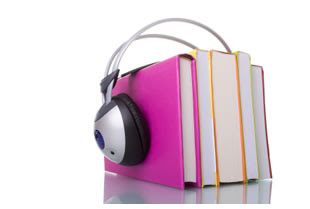
iPhones, Kindles, E-Books and Text to Speech Readers

The VOD app for the iPhone by CYPAC can read DAISY 2.02 files.

I have been playing with my iPhone lately and I have been teased and tempted, but just can't come up with a combination of apps that works to hear books directly from text. I have purchased several apps and tried to find a work-around to get text files to read. I downloaded the Beverly Cleary Book "Ribsy" powered by Iceberg. I bought if off iTunes for $3.99. In a description on iTunes it seemed that you might be able to copy and paste sections of the text into a notes section and then copy those to another app to hear them read, but that feature had been turned off by publishers for copyright reasons in the book I bought. I had hoped to paste sections into my Speak it! app and then hear it read back. The only thing I could do was type a note attached to a paragraph and then copy the note I wrote to hear it back. All the text was locked. I discovered that the Iceberg Reader has a kids division with young children's literature.

The Iceberg Reader for kids was reviewed by The iPhone Mom. She reviewed a Curious George title that has the illustrations and actually reads the page as an audio book. You can pause and play, flip pages and bookmark favorites. This is the closest I have found to doing what I would like to do with a book on the iPhone. Good job Iceberg Reader.

I added an app, TouchReader, thinking that might let me add a public domain text to my iPhone and have it read, but even though it is a great app for getting text files onto your iPhone, changing the text size and black on white vs white on black, the text is locked and you can't copy and paste it anywhere else.

I was reading a review of the Kindle 2 and it dealt with how the text to speech setting was hampered and left up to the publishers whether to make it accessible or not. Amazon didn't feel it was competitive with the publisher's audio versions, but the publishers felt otherwise.

The issue is the same on the iPhone - there are copyright issues stopping the accessibility. As one commenter put it, "If I could read a real book or afford audio books of all my books, I would rather, but I am stuck with listening to a mechanical voice read books to me. How can that be a threat to the publishers that want to sell audio books?"

I am still exploring options. I had a reader email me recently about VOD, Voice of DAISY, which is a $12.99 app that only plays older DAISY 2.02 files. If you already have DAISY 2.02 files, you can read them on the iPhone or iTouch. It looked pretty slick, but I couldn't find any links to it on DAISY Consortium. I had to go directly to the Japanese company CYPAC that made it to find it.

If you come up with any solutions or new discoveries please keep me posted and I will share them here. Thanks to all the great readers who have been sending me questions and tips lately. It makes this blog more dynamic as we share together.

All the best to you!

Lon

Monday, January 4, 2010

Assistive Technology Blog Carnival for 2010


A New Assisive Technology Blog Carnival is Underway for 2010
Welcome to 2010!
Patrick Black of "Teaching All Students" is excited to host the carnival from his blog. He is putting out the call for all bloggers to write a post on their blogs and share the link so we can travel around and do some visiting and reading. The topic is open and you can share a story, a tip, trick, new tool, etc.
Visit the AT Blog Carnival Site and Teaching All Students for more information.
Thanks Patrick!

Sunday, December 27, 2009

No Limits to Learning in Top 10 Assistive Technology Blogs for 2009

Top 50 Blogs for Special Education Teachers - No Limits to Learning Included!

Online Unversities.com has put out their Top 50 list of Blogs for Special Education Teachers. They have broken down the top fifty into 6 categories:
1. Sped Teaching Tips and Strategies
2. technology and Assistive Technology
3. Specific Disabilities
4. Special Education News and Policy
5. Special Education Law
6. Various Topics on Special Education

I am humbled and thrilled to be included in the top 50 special education blogs and among the top 10 assistive technology ones. Many of the other blog authors have contributed to the AT Blog Carnival, which should be coming back for another edition after some time off.
I am in good company with my friend and mentor, Brian Friedlander Ph.D of Assistive Technology; My friend and colleague Patrick Black, of Teaching All Students, who has hosted the AT Blog Carnival in the past and plans to do another here shortly to kick off 2010; Karen Janowski's always amazing, Ed Tech Solutions: Teaching Every Student; and Paul Hamilton's Free Resources from the Net for Every Learner , collaborator from SET BC. Also among the top was AT Cubed by Brian Wojic who administers the Web 2.0 group assistive tech. If you haven't joined this group I would recommend it.
One of my favorie blogs with a writer who always sparks my thinking and challenges the way I approach education and disability is Ira Socol's SpeEdChange. He was included in the Special Education News and Policy category. Kate Ahern's Teaching Learners with Multiple Special Needs was included under the various topic category. Her blog is always dynamic and crammed with ideas. Her links and resources are about the best you will find on a blog. I have told her that her blog is what mine wants to be some day when it grows up!
So... I encourage you to check these blogs out - many are on my blogroll, and check out the complete list here.

All the best for a GREAT new Year in 2010!
Lon

Digg!

Bookmark this on Delicious

Wednesday, December 23, 2009

Percentally, New iPhone App, Collects and Converts Student Performance Data

Percentally Collects Tallies and Converts to Percentages

Percentally is designed in part by an SLP who is also an Assistive Technology Specialist, Eric Sailer. Percentally looks like a promising way to collect tallies on the fly and convert to percentage data and spreadsheets quickly. If you collect intentional switch hits, correct answers or other student responses, this just might do the trick for you. This app is now available in the iTunes app store for $2.99. Eric has written up a post on it on his blog, "Speech-Language Pathology Sharing" along with his video tutorial. You can watch it below:

All the best to you,
Lon


Digg!

Bookmark this on Delicious

Tuesday, December 22, 2009

Open Content Textbooks Available to All Without Proof of Disability

U. S. Department of Education Grants Funding to Bookshare to Convert OpenContent Textbooks to Accessible Formats

I have been doing a lot of training this past fall on Accessible Instructional Materials and copyright issues. When I share about the content via NIMAS files being available to those who qualify, I see enthusiam fade. Why?
Many special education teachers think at first that the students they have who have reading and processing disabilities or are LD will qualify for NIMAS files under AIM initiatives.
When they realize that you can only freely access these files if you are:
1.) Blind/visually impaired 2.) orthopedically impaired to where you can't hold a book or turn pages, or 3.) diagnosed by a medical doctor with an organic brain dysfunction, they are disappointed.
Now, there has been a new wrinkle to this issue. An open content math/science textbook has been designed and adopted in California that meets their content standards. The press release below, outlines the details. This new open content textbook will be available to any student for free, regardless of disability identification or eligibility status. The files will be able to be downloaded at Bookshare. They are not available yet.
This means that for the first time, there is a textbook that anyone can download for free to access content in aletrnate print formats. The questions that need to be answered are:
1. Will other states adopt this text as a viable alternative to the textbook companies versions?
2. Will school districts allow teachers to use this as supplemental text to support the curriculum to any student needing an alternate format?
3. If so, does this fulfill the requirements of AIM if it is a text other than what everyone else has?
4. What is the quality of content in these open/content texts?

The answers will have to be explored. I will download the files when available and look through them. I am going to pass them on to the curriculum folks in our region to present to curriculum committees for cross-referencing and to see if they are aligned with our content standards. I am also going to ask our state AIM group and text book adoption team if they would look into this and see what they think.
This is an exciting new trend, but it could have some pitfalls if we are not careful. One I see is that the content for schools gets taken out of the hands of free-enterprise and competition for quality by publishers and gets placed in a government-controlled content text that can reflect the standards and opinions it wants to convey. I don't mean to be paranoid, but I think we need to consider and warn against that if this is a trend that might snowball state by state.

All the best to you,
Lon

Open Content Textbooks Available to All without Proof of Disability

Release by Benetech and Bookshare - "Department of Education, Office of Special Education Programs (OSEP) has awarded Bookshare $100K in supplemental funding to create the first accessible versions of open content digital textbooks. The initial planned conversion of open content textbooks, which are distributed freely under a license selected by the author, are math and science textbooks approved for California students. California is leading the nation in encouraging the use of free, open content textbooks. Under the direction of the Governor, Secretary of Education, and Superintendent of Public Instruction, the California LearningResource Network (CLRN) reviewed for standards alignment open-source digitaltextbooks for grades 9-12 in the subject areas of mathematics and science. While some open content textbooks may be edited, the publishers of these digital high school textbooks are guaranteeing consistent content for the next two years. As other states begin to approve open content textbooks, Bookshare will continue to convert these materials to accessible formats for all students who read better with accessible text. The first open content textbooks approved for use in California will be available via Bookshare at<http://www.bookshare.org/> http://www.bookshare.org/. The texts will be offered in the accessible DAISY format that enables multi-modal reading, combining highlighted on-screen text with high-quality computer-generated voice, and BRF, a digital Braille format for use with Braille displays orembossed Braille.
"Once again California's innovation has inspired action, as those with reading challenges will soon be able to read the standards-aligned digital textbooks adopted under California's first-in-the-nation digital textbook initiative," said California Governor Arnold Schwarzenegger.
"Thanks to Bookshare and the U.S. Department of Education, these textbooks will be converted into accessible formats so students who struggle with reading traditional textbooks have a new opportunity to enhance their education." Under the terms of the OSEP award, the accessible formats will offer a choice of digital book files with or without images, including detailed math and science illustrations and image descriptions for those with visual disabilities. "Traditional copyrighted books, including those contributed to Bookshare by publishers, are protected with digital rights management technology and available only to those with a documented print disability. But Bookshare's open content books will become part of the freely distributable books in the Bookshare collection and can be used by anybody without proof of disability," says Benetech CEO Jim Fruchterman.
"These accessible books will not only help disabled students throughout the U.S. and globally, but provide parents, teachers and assistive technology developers with free access to real talking textbooks." This initiative builds on Bookshare's experience as the largest converter of digital textbooks from the National Instructional Materials Access Center (NIMAC) into accessible formats for students in K-12 public schools.
TheNIMAC is a federally-funded central repository for digital versions of textbooks. About Bookshare Bookshare is the world's largest accessible online library for people withprint disabilities. Through its technology initiatives and partnerships, Bookshare seeks to raise the floor on accessibility so that individuals withprint disabilities have the same ease of access to print materials as peoplewithout disabilities. In 2007, Bookshare received a $32 million five-yearaward from the U.S. Department of Education, Office of Special EducationPrograms (OSEP), to provide free access for all U.S. students with aqualified print disability. The Bookshare library now has over 60,000 booksand serves more than 70,000 members. Bookshare is an initiative of Benetech, a Palo Alto, CA-based nonprofit that creates sustainable technology to solve pressing social needs. "


Digg!

Bookmark this on Delicious

Monday, December 21, 2009

Creating and Playing Texts as Audiobooks on the iPhone


I had a really good question on email from a reader concerning text reading on an iTouch or iPhone. The question was whether you could take Bookshare Books and have them read on your iPhone or iTouch.
First off, remember that Bookshare files can't be shared. If you want to "play" a file to read, there is the Read Outloud player on Bookshare from Don Johnston that is free with your membership. This will let you hear the book on your computer.
If you want to put the text on your iPhone to read it visually - no text to speech, the app, "Touch Text Reader" is great (for .99 cents). I can upload text files right off my laptop wirelessly into my iPhone without syncing it with a little tool you get online and put on your computer. When you buy the app they give you the link where to get it free. Touch Text Reader opens .txt and.rtf and html docs.but it doesn't let you copy any of the files into a text to speech app. My "Speak it!" app will say anything I paste in - see below for more on Speak it!
Bookshare books come in different formats. You have a .txt file format and an html format. Either of those should be possible to read with an iTouch or iPhone, it just takes a little more work around to get it on there.
I have a text reader app I downloaded on my iPhone called Speak it! I can copy and paste the text from a website in it and it will read it. The thing is that it has to be text in bite-sized chunks - not large files. You have to paste in sections and listen to them. A way around that is to convert chapters of a book to Mp3 and load them in your iTunes and listen. I do that quite a few different ways. Narrator, an iPhone app, will read a list of public domain books they have prepared from the iPhone, but in order to hear a book, you have to download it to read. It can't import any text files or other books to read. In order to hear a text you have you would have to download the text from the book in an email or on a closed web page you use for that purpose ( see blog, My Reading Chair for a sample of how I took a public domain book and put it on this site and had it convert to an audio file online to listen to or download) and then open it in the iPhone browser and then paste into Speak it! I would be hesitant to post chapters even on a closed site with a Bookshare file for copyright reasons.
There aren't any quick apps to buy for your iPhone or iTouch that read text files with synthesized speech in one easy step right now. If it were me wanting to get a Bookshare title onto my iPhone to hear, I would be converting my text file to an Mp3 file by chapter and then uploading them in iTune and listening. Check out DSpeech by Dimios Tools. It is free and will convert any .txt text you paste in to an Mp3 file.

Note: Touch Text Reader, Narrator and Speak it! are all in the apps store at iTunes. Good luck to all you techie ebook folks out there. If anybody has found an easy solution to this let us know!
All the best,
Lon