
 How do you teach a crystal-making project using a Dynavox V?
I sat down with an SLP last week and we began to piece together the elements of a science activity using a Dynavox V that a girl has recently acquired to accommodate her speech. (Note: these ideas could be applied to any AAC - not just a V or VMax). The team of 2 SLP's I am working with on this project are pretty innovative and have used lots of motivating activities and integrated curriculum topics to use as the medium to teach their speech concepts and skills.
Design your folders and pages
We thought about what we needed and mapped out the pathway to get to the activity. We built several pages, but we started with a root folder with a directory page inside. We called it "Speech activities". We put this in this child's school category folder under a "classes" folder she has along with her science, math, reading, etc.
Once we had the root folder page made, we labeled buttons and turned them into folders so we could put the crystals activity on one and have more for future activities. We went onto Google and searched "making crystals " and found a picture like the one above. We put it on the top level button for making crystals.
We did a materials page to show all the supplies needed. We labeled them and made them so the student could tell us using the V, what each item was and test her ability to identify them We also made a step by step direction page with images of getting materials, measuring contents, stirring the mix, putting in the string, checking the minerals growth and recording data and taking digital images. (These could be shared through the V on pages for an oral presentation at the end.)
Finding and adding graphics is easy with Google Images!
The SLP needed Borax so we went on Google images and added that to a flash drive to import images to the V. Once we got going, we thought it would be 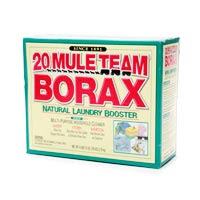 easier to make a shopping list of all the images and then see what ones might be on the V already and what ones we needed to find. For example, the Borax would really be something to find through an image search online, where a bowl or spoon or string would be in the image library ready to put on a button.
easier to make a shopping list of all the images and then see what ones might be on the V already and what ones we needed to find. For example, the Borax would really be something to find through an image search online, where a bowl or spoon or string would be in the image library ready to put on a button.There are several ways to add images to a button on a V or VMax. One is to reduce the window of the Series 5 software with the page open and the button you want to add an image onto visible. You can insert a jump drive or go to My Document/My Pictures and click/hold/drag them onto the button - an easy task.
Another way is to go to the modify button and select your button, then choose "symbol" and then import an image. You can select "Show all files" and see the jump drive, open it and import the pictures, then they are accessible again and again through your symbol searches. The only thing to remember is that you need to re-name each image to be what you want on the button. The image file name will transfer and be on the button and in the file directory unless you change it. Might as well do it when you first save it.
Building and using activities like this makes learning to get around a V lots of fun if you are new, uisng it to do something of value at school where the lesson elements are at a students fingertips. The time spent will pay big dividends in buy in with kids. I have used worked with students on building model rockets, pizza, sandwiches, etc.
An SLP at another school has a boy with a new V that loves motorcycles. She is going to get a motorcycle model and have him label parts, get materials and work with him to use the V for building the model.
The more we can use AAC in school environments to access the curriculum and learn through motivating activities, the more effective we can be at connecting the use of a device to everything kids do all day. Oftentimes we work on wants and needs and socialization, but forget that there are plenty of topics rich with vocabulary and activities found right in front of us in school units and the curriculum. Why not try integrating some curriculum activities into your programming the AAC device for students you work with and see what happens.
All the best,
Lon


 Posts
Posts


